Home
Home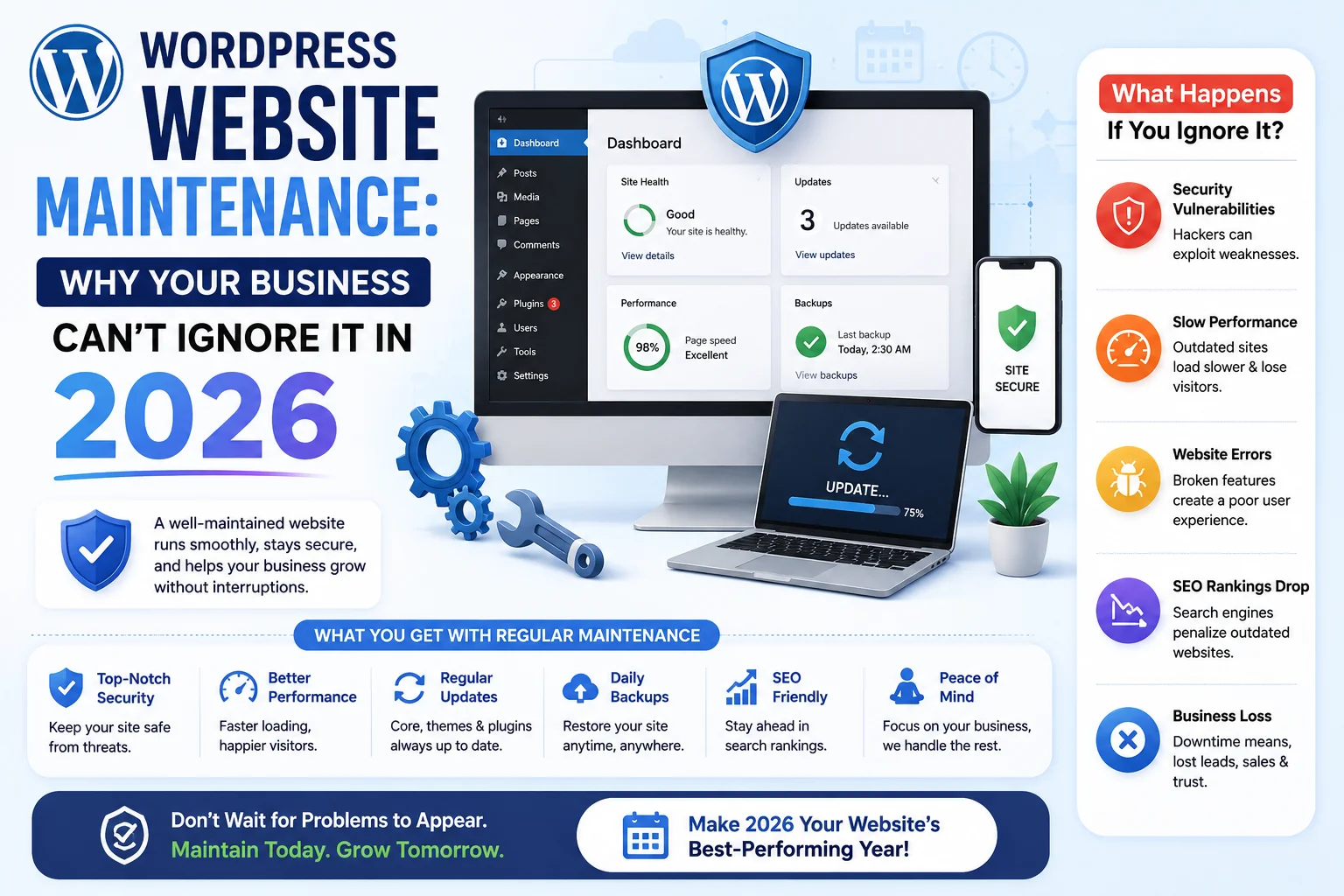
Most Indian business owners think website maintenance means “updating it when something breaks.”
That is the most expensive mistake you can make.
In this complete guide, you will learn exactly what WordPress website maintenance includes,
why it is critical for your business, and how much it costs in India in 2026.
What is WordPress Website Maintenance?
WordPress website maintenance is the ongoing process of keeping your website secure,
fast, updated, and fully functional after it goes live.
Think of it like servicing a car — you don’t just buy it and forget about it.
- Keeping WordPress core, themes, and plugins updated
- Taking daily or weekly backups of your entire website
- Scanning for malware and security threats regularly
- Monitoring page speed and Core Web Vitals
- Fixing broken links, errors, and form issues
- Updating content and blog posts
A website without maintenance gradually becomes slower, less secure, and invisible on Google.
It is not a question of if something will go wrong — it is a question of when.
Why Website Maintenance is Not Optional in 2026
In 2026, Google’s ranking algorithm directly uses page speed, security, and technical health
as ranking factors through Core Web Vitals.
A poorly maintained website loses Google rankings — even if the content is excellent.
- Over 90,000 websites are hacked every single day globally
- Outdated WordPress plugins are the number one cause of website hacks
- A 1-second delay in page loading reduces conversions by 7%
- Google penalizes websites with security warnings in search results
- 53% of mobile users leave a website that takes more than 3 seconds to load
For Indian businesses where every inquiry matters — a hacked or slow website means
lost customers, lost revenue, and months of work to recover your Google ranking.
What Happens if You Don’t Maintain Your WordPress Website?
Neglecting website maintenance is one of the most costly mistakes a business can make.
Here is what typically happens within 6 to 12 months of zero maintenance:
- Month 1 to 2: Plugins become outdated, small compatibility issues begin
- Month 3 to 4: Page speed drops as database bloat grows, Google ranking begins slipping
- Month 5 to 6: Security vulnerabilities open up through unpatched plugins
- Month 6 to 12: Website gets hacked or infected with malware — recovery costs ₹20,000 to ₹50,000+
- After hack: Google blacklists the site — “This site may be hacked” warning appears in results
Fixing a hacked website costs 10 to 50 times more than simply maintaining it properly from day one.
What Does WordPress Website Maintenance Include?
1. WordPress Core, Theme, and Plugin Updates
WordPress regularly releases updates to fix bugs, security vulnerabilities, and improve performance.
Themes and plugins also release updates for the same reasons.
Running outdated versions is the primary cause of 90% of WordPress hacks in India.
- WordPress core updates — released every few weeks
- Plugin updates — some plugins update weekly
- Theme updates — must be tested before applying to avoid layout breaks
- Compatibility testing after every update
2. Regular Backups — Your Safety Net
A backup is a complete copy of your website — files and database — stored safely off your server.
If anything goes wrong — hack, server crash, accidental deletion — a backup restores everything.
- Daily backups for eCommerce and high-traffic websites
- Weekly backups for standard business websites
- Backups stored in a separate location — Google Drive, Dropbox, or S3
- Backup restoration tested every month to ensure they actually work
3. Security Scanning and Malware Removal
Even with updated plugins, websites face ongoing security threats.
Regular security scans detect threats before they cause damage.
- Weekly malware scans using tools like Wordfence or Sucuri
- Firewall setup and maintenance
- Login protection — two-factor authentication, limiting login attempts
- SSL certificate monitoring — ensure HTTPS is always active
- Immediate malware removal if infection is detected
4. Page Speed and Performance Optimization
Website speed degrades over time without active optimization.
Database tables accumulate unnecessary data. Images grow. Cache becomes stale.
Monthly performance maintenance keeps your site fast.
- Database cleanup — removing post revisions, spam comments, transient data
- Cache clearing and rebuilding
- Image compression checks for newly uploaded files
- Monthly PageSpeed Insights audit and score tracking
5. Uptime Monitoring
Is your website actually online right now? Many businesses discover their site has been down
for hours — or days — only when a customer mentions it.
Uptime monitoring alerts you within minutes of any downtime.
- 24/7 automated uptime monitoring
- Instant alerts via email or SMS when site goes down
- Monthly uptime report — aim for 99.9% uptime
6. Content Updates and Blog Publishing
Google rewards websites with fresh, regularly updated content.
Many Indian businesses build a website but never update it — this directly hurts SEO rankings.
- Updating existing page content with current information
- Publishing new blog posts as per the content calendar
- Updating service descriptions, pricing, and portfolio
- Checking and fixing any broken internal or external links
WordPress Website Maintenance Cost in India (2026)
Maintenance costs in India vary based on the size of your website,
the level of support required, and whether you hire a freelancer or agency.
- Basic Plan (₹2,000 – ₹5,000/month): Plugin updates, weekly backups, uptime monitoring — best for small static business websites
- Standard Plan (₹5,000 – ₹12,000/month): All basic features + security scanning, speed optimization, content updates — best for growing service businesses
- Advanced Plan (₹12,000 – ₹25,000/month): All standard features + daily backups, priority support, monthly SEO report — best for eCommerce and high-traffic websites
For comparison — fixing a hacked WordPress website in India typically costs ₹20,000 to ₹50,000
in emergency recovery fees alone, plus 2 to 4 weeks of lost business.
A ₹3,000/month maintenance plan prevents all of this entirely.
DIY WordPress Maintenance vs Hiring a Professional
DIY WordPress Maintenance
- Free — no monthly cost
- You control every change and update
- Requires technical knowledge of WordPress
- One wrong update can break your entire website
- Time-consuming — takes 3 to 5 hours per month minimum
- No professional monitoring or emergency support
Hiring a Professional for WordPress Maintenance
- Monthly cost — but significantly cheaper than emergency recovery
- Expert handles all updates, security, and backups
- Your time is freed to focus on running your business
- Professional knows how to update without breaking anything
- 24/7 monitoring and rapid response to any issues
- Monthly performance and security reports provided
For most Indian business owners who are not technical — hiring a professional
is the smarter, safer, and ultimately more cost-effective choice.
Monthly WordPress Maintenance Checklist
- Update WordPress core to the latest version
- Update all plugins — test after updating
- Update active theme — using child theme to protect customizations
- Run full malware scan and review security report
- Verify website backup was completed and test restoration
- Check uptime report — investigate any downtime incidents
- Run PageSpeed Insights — compare score with previous month
- Clean WordPress database — remove revisions and spam
- Check all contact forms and CTA buttons are working
- Review Google Search Console for crawl errors or penalties
- Check Google Analytics — review traffic trends
- Publish at least 1 new blog post
- Update any outdated content on service or about pages
Common Maintenance Mistakes Indian Businesses Make
- Updating plugins without taking a backup first — one failed update can crash the entire site
- Using a nulled or pirated theme — these cannot receive security updates and are already compromised
- Never changing the WordPress admin password — default or weak passwords are hacked in minutes
- Storing backups only on the same server — if the server is compromised, the backup is too
- Ignoring Google Search Console error notifications — these directly impact your rankings
- Never testing the website on mobile after updates — layouts can break on specific devices
Pros and Cons of WordPress Website Maintenance
Pros
- Prevents costly hacks and emergency recovery expenses
- Maintains and improves Google search rankings over time
- Keeps website fast — directly supports user experience and conversions
- Peace of mind — you know your website is always working correctly
- Proactive issue detection before customers are affected
Cons
- Monthly cost — though far less than emergency recovery
- Requires trusting someone with admin access to your website
- Results are invisible when maintenance is done correctly — prevention is not always obvious
Conclusion
WordPress website maintenance is not optional for any Indian business that depends on its website
for leads, sales, or credibility.
A website without maintenance is a security risk, a speed liability, and a Google ranking problem waiting to happen.
The cost of proper monthly maintenance is always a fraction of the cost of emergency recovery.
Protect your investment, maintain your rankings, and ensure your website works for your business every single day.
Call To Action
Need professional WordPress maintenance for your business website?
Get a free maintenance quote today — we handle updates, security, backups, and speed so you don’t have to.
Or contact us to discuss a maintenance plan for your specific website.
Frequently Asked Questions
How much does WordPress website maintenance cost in India?
WordPress maintenance in India typically costs ₹2,000 to ₹25,000 per month
depending on the size of your website, the features included, and the level of support required.
Basic plans start at ₹2,000 per month for small business websites.
What happens if I don’t maintain my WordPress website?
Without maintenance, your website becomes vulnerable to hacking through outdated plugins,
page speed drops as database grows, Google rankings decline, and eventually the site may crash or get infected with malware.
Emergency recovery costs ₹20,000 to ₹50,000 — far more than regular maintenance.
How often should WordPress be updated?
WordPress core, plugins, and themes should be checked for updates at least once per week.
Major WordPress core updates should be applied within 2 to 3 days of release
after testing on a staging environment first.
Can I do WordPress maintenance myself without technical knowledge?
Basic tasks like updating plugins can be done by anyone.
However, without technical knowledge you risk breaking your website with a failed update.
For reliable maintenance with proper backups, testing, and security — a professional is always recommended.
Is WordPress website maintenance a one-time or monthly service?
WordPress maintenance is an ongoing monthly service.
WordPress, plugins, and themes release updates continuously — security threats evolve every week.
One-time maintenance provides a temporary fix but does not protect your website long-term.
What is included in a basic WordPress maintenance package in India?
A basic maintenance package typically includes monthly plugin and theme updates,
weekly backups, uptime monitoring, and a basic security scan.
More comprehensive plans also include speed optimization, content updates, and monthly SEO reporting.