Home
Home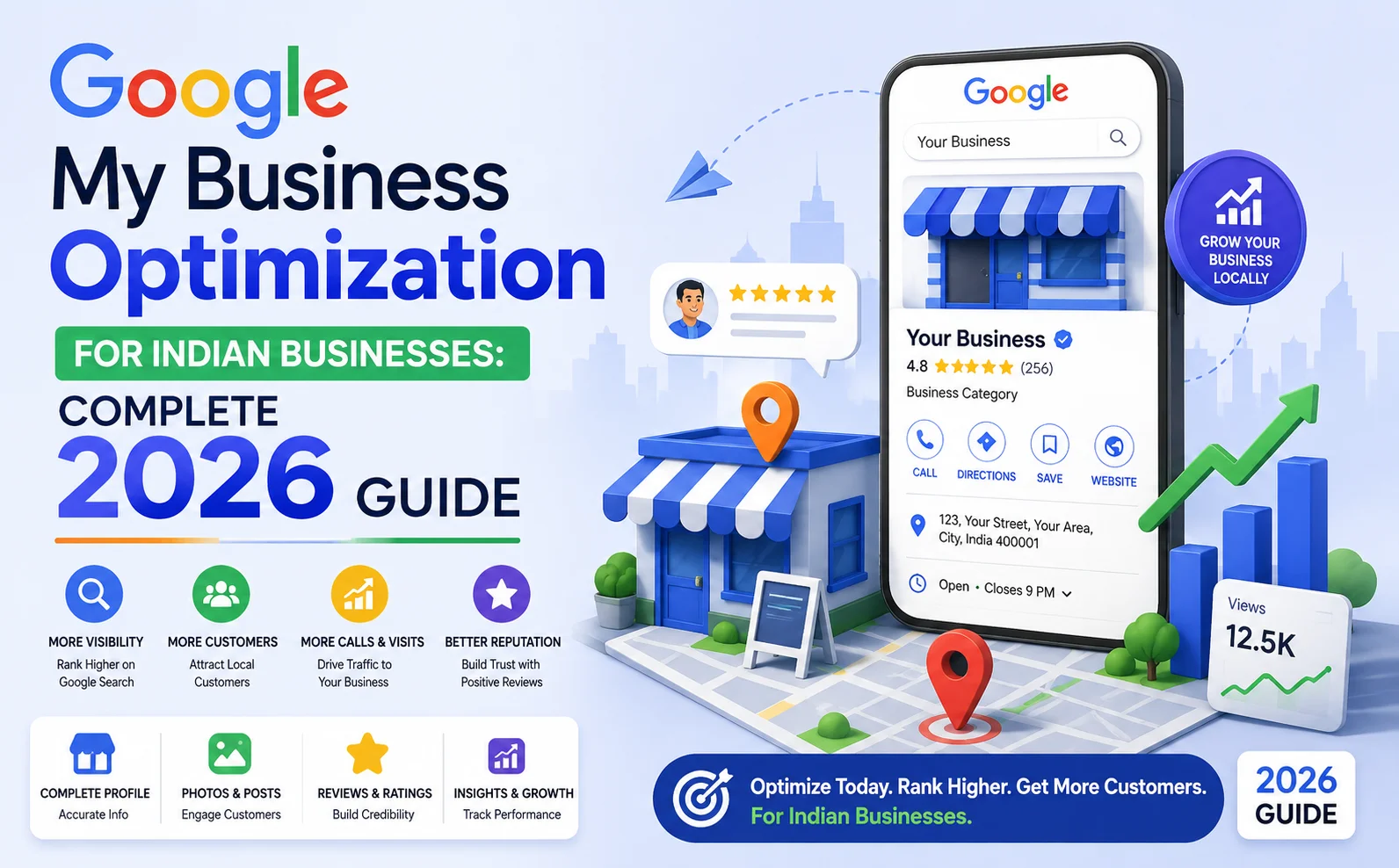
Is that first business yours?
If not — this guide will show you exactly how to make it yours.
Google My Business (now officially called Google Business Profile) is the single most powerful free tool
available to any Indian business owner in 2026. And most businesses are using it wrong.
Whether you run a shop in Surat, a clinic in Ahmedabad, a restaurant in Mumbai, or a service business anywhere in India —
this step-by-step guide will help you rank higher on Google Maps and get more customers calling you directly.
What is Google My Business (Google Business Profile)?
Google My Business — officially renamed Google Business Profile (GBP) in 2022 — is a free tool by Google
that allows businesses to manage how they appear in Google Search and Google Maps.
When someone searches “web designer near me” or “plumber in Surat” —
Google shows a box at the top of the results with 3 business listings, a map, star ratings, and phone numbers.
This is called the Google Local Pack — and it gets 44% of all clicks for local searches.
Your Google Business Profile is what gets you into that Local Pack.
And optimizing it correctly is what gets you to position 1, 2, or 3 — ahead of your competitors.
Why Google My Business Optimization Matters for Indian Businesses in 2026
- “Near me” searches in India have grown by over 500% in the last 5 years
- 76% of people who search for a local business on their phone visit that business within 24 hours
- Businesses with complete GBP profiles get 7 times more clicks than those with incomplete profiles
- GBP listings with 10 or more photos receive 42% more requests for directions and 35% more website clicks
- Google reviews are one of the top 3 local ranking factors — directly affecting your position in Maps results
For Indian small businesses — especially in cities like Surat, Ahmedabad, Pune, Hyderabad, and Jaipur —
a fully optimized Google Business Profile can be the difference between a full order book and an empty one.
Step-by-Step: How to Optimize Your Google Business Profile in India
Step 1: Claim and Verify Your Business
If you have not yet created your Google Business Profile, go to business.google.com and set it up today — it is completely free.
If you already have one but have not verified it, Google will not show it prominently in search results.
Verification options available in India:
- Postcard by mail: Google sends a postcard with a verification code to your business address — takes 5 to 14 days
- Phone verification: Available for some businesses — instant verification via SMS
- Video verification: Google may request a short video of your business location — increasingly common in India
- Instant verification: Available if your business is already verified in Google Search Console
Complete verification is mandatory. An unverified profile will not rank in the Local Pack.
Step 2: Complete Every Section of Your Profile — 100%
Google rewards completeness. A fully filled profile ranks significantly higher than an incomplete one.
Go through every section and fill in accurate, detailed information:
- Business Name: Your exact legal business name only — do not add keywords or city names into the business name field. Google penalizes and suspends profiles for this.
- Business Category: Choose the most specific primary category available. “Web Designer” ranks better than “Technology Company.” Add 2 to 3 secondary categories as well.
- Business Description: Write a full 750-character description. Include your primary keyword, your city, and your key services naturally. Example: “Tejas Suthar is a professional web designer in Surat offering custom WordPress website development, eCommerce solutions, and SEO services for businesses across Gujarat and India.”
- Address: Your exact address with PIN code. If you serve clients at their location, add service areas by city names.
- Phone Number: Use a local number if possible — it builds geo-relevance signals for Google.
- Website: Link to your homepage or a dedicated location landing page.
- Opening Hours: Accurate hours including Saturday and Sunday. Mark special hours for Indian holidays — Diwali, Holi, Independence Day, etc.
- Services: Add every service you offer with a short description and price range. This is one of the most underused sections by Indian businesses.
- Products: If you sell physical products, add them here with photos and prices.
- Attributes: Mark relevant attributes — “Women-led business,” “Veteran-led,” “Accepts UPI,” “Online appointments,” etc. Google uses these for filtered searches.
Step 3: Add High-Quality Photos — Minimum 10
Photos are one of the most impactful improvements you can make to your GBP ranking and click-through rate.
Businesses with 10 or more photos receive significantly more clicks, direction requests, and calls than those with none.
What photos to add for an Indian business:
- Logo: Clear, high-resolution logo on a white or transparent background
- Cover Photo: Your best, most professional image — this is the first thing visitors see
- Storefront / Office Exterior: Helps customers recognize your location when they arrive
- Interior Photos: Show your workspace, shop interior, or office environment
- Team Photos: A photo of you and your team builds trust and humanizes your business
- Work Samples / Products: Show your actual work — website screenshots for a web designer, food photos for a restaurant, completed projects for a contractor
- At-Work Photos: Action shots of your team working — building a website, serving customers, completing a project
All photos should be high resolution, well-lit, and genuinely represent your business.
Add at least 2 to 3 new photos every month to signal to Google that your profile is active.
Step 4: Get Google Reviews — This is the Most Important Step
Google reviews are one of the top 3 local ranking factors — directly affecting where you appear in Google Maps results.
A business with 50 reviews and a 4.6 star rating will consistently outrank a business with 5 reviews,
even if that competitor has been in business for 20 years longer.
How to get more Google reviews from Indian customers:
- After completing every job or service, send the client your GBP review link via WhatsApp — this is by far the most effective method in India
- Create a short link from your GBP dashboard and save it as a text shortcut on your phone — one tap to share
- Add a “Leave us a Google Review” QR code at your shop counter, on your invoice, and on your business card
- Include your review link in every project delivery email or WhatsApp message
- Ask satisfied clients personally during or right after the service — a direct personal request converts 5 times better than a passive automated message
- Aim for 1 new review per week consistently — velocity matters as much as total count
Always respond to every review — both positive and negative.
Responding to reviews shows Google and potential customers that you are an engaged, responsive business.
For negative reviews, respond professionally, address the concern, and offer to resolve it.
Never argue or dismiss a negative review — your response is seen by every future customer who reads it.
Step 5: Post on Google Business Profile Weekly
Most Indian businesses completely ignore this feature — which makes it a significant opportunity for those who use it.
GBP Posts are short updates — similar to social media posts — that appear directly on your Google listing.
Types of GBP Posts that work well for Indian businesses:
- What’s New: Share a recent project, new service launch, or business update
- Offer: Promote a special price, festive discount, or limited-time deal — Diwali offers, New Year specials
- Event: Announce a webinar, workshop, open house, or local event
- Blog Post: Share your latest blog article with a link back to your website
Post at least once per week. Google shows your posts prominently in your listing for 7 days.
Regular posting signals to Google that your business is active — which directly supports your local ranking.
Step 6: Use the Q&A Section Proactively
The Questions and Answers section on your GBP profile allows anyone to ask questions about your business —
and anyone can answer them, including you.
Most Indian businesses ignore this section entirely — leaving questions unanswered or answered incorrectly by strangers.
Proactive Q&A strategy:
- Add 5 to 10 common questions yourself — and answer them professionally before customers even ask
- Example questions: “What is your starting price for a website?”, “Do you offer free consultations?”, “What areas do you serve?”, “Do you accept UPI payments?”, “How long does a project take?”
- Monitor the section weekly and answer any new questions from customers promptly
Step 7: Enable Messaging and Respond Quickly
Google Business Profile has a built-in messaging feature that allows customers to send you a direct message
from your Google listing — without calling or visiting your website.
Enable this feature in your GBP dashboard and respond to every message within 24 hours.
Google tracks your response rate and response time — businesses that respond quickly receive better listing visibility.
Slow response rates can result in the messaging feature being automatically disabled.
Common Google My Business Mistakes Indian Businesses Make
- Keyword stuffing in the business name — “Tejas Web Design SEO WordPress Surat” will get your profile suspended by Google
- Using a home address as the business address if you do not want it publicly visible — use a registered commercial address or set up as a service-area business instead
- Uploading blurry or low-quality photos that make your business look unprofessional
- Never responding to reviews — especially negative ones — which signals poor customer service to every future visitor
- Creating duplicate GBP listings — Google may suppress all of them, killing your visibility entirely
- Inconsistent business name, address, and phone number across Google, Justdial, Sulekha, and your website — these must all match exactly
- Never posting updates — an inactive profile ranks lower than an actively managed one
- Ignoring the Insights section — GBP Insights shows you exactly how many people found your listing, called you, or asked for directions — this data is invaluable for understanding what is working
How to Track Your Google My Business Performance
Google Business Profile has a built-in Insights dashboard that shows you real performance data every week:
- Search queries: The exact keywords people searched to find your listing
- Views: How many times your profile appeared in Search and Maps results
- Clicks: How many people clicked on your website link from your listing
- Calls: How many people called you directly from your GBP listing
- Direction requests: How many people asked Google Maps for directions to your business
- Photo views: Which photos are getting the most attention from visitors
Review your Insights every week. If calls are increasing — your optimization is working.
If direction requests are low — add better exterior photos and ensure your address is pin-accurate on the map.
Pros and Cons of Google My Business Optimization
Pros
- Completely free — the most cost-effective local marketing tool available
- Direct calls, messages, and direction requests from customers finding you on Google
- Appears in both Google Search results and Google Maps
- Builds social proof through visible reviews and ratings
- Works 24 hours a day — customers find you even when your phone is off
- Faster results than regular SEO — Local Pack rankings can improve within 4 to 8 weeks
Cons
- Requires consistent attention — weekly posts, review responses, and photo updates
- GBP suspensions can happen if guidelines are violated — name stuffing, fake addresses, etc.
- In very competitive local markets, paid Google Ads may also be needed to supplement organic local rankings
Conclusion
Google My Business optimization is the single highest-ROI marketing activity available to any Indian small business in 2026.
It is completely free. It generates real calls, real direction requests, and real customers.
And most of your local competitors are not doing it properly — which means the opportunity is wide open right now.
Complete your profile. Add photos. Collect reviews every week. Post updates regularly.
These four habits, done consistently for 3 to 6 months, will put your business at the top of Google Maps
for the searches that matter most to your revenue.
Your customers are already searching for you on Google.
Make sure they find you first — not your competitor.
Call To Action
Want expert help optimizing your Google Business Profile and local SEO?
Get a free local SEO audit today and find out exactly what is holding your business back from ranking at the top.
Or contact us to discuss your local SEO and Google Business Profile strategy.
Frequently Asked Questions
Is Google My Business free for Indian businesses?
Yes — Google Business Profile is completely free to create, verify, and manage.
There are no charges for listing your business, adding photos, posting updates, or responding to reviews.
It is one of the most powerful free marketing tools available to any Indian business.
How long does it take to rank on Google Maps after optimizing my GBP?
For low-competition local searches in smaller cities, you can start appearing in the Google Local Pack within 4 to 8 weeks
of fully optimizing your profile and collecting your first reviews.
For highly competitive keywords in large cities, expect 3 to 6 months of consistent optimization work.
How many Google reviews do I need to rank in the Local Pack?
There is no specific minimum number — but businesses with 20 or more recent reviews and a rating above 4.3
consistently outperform competitors with fewer reviews in Indian local search results.
Focus on getting 1 to 2 new genuine reviews every week rather than getting 20 reviews all at once.
Can I add multiple locations to one Google Business Profile?
No — each physical business location requires its own separate Google Business Profile.
If you have a shop in Surat and another in Vadodara, you need two separate verified GBP listings —
one for each location, each with its own address, phone number, and photos.
What happens if my Google Business Profile gets suspended?
A suspended GBP listing disappears from Google Search and Maps entirely until the issue is resolved.
Common causes of suspension include keyword stuffing in the business name, using a fake or virtual address,
or creating duplicate listings. You can appeal a suspension through Google’s Business Profile Support.
Prevent suspension by always following Google’s guidelines strictly.
Do I still need a website if I have a Google Business Profile?
Yes — both work together and are significantly more powerful in combination than either one alone.
Your GBP drives local visibility and direct calls. Your website converts those visitors into leads,
ranks for additional keywords through blog content, and builds long-term credibility and trust.
Businesses with both a fully optimized GBP and a professional website consistently outperform those with only one.