Home
Home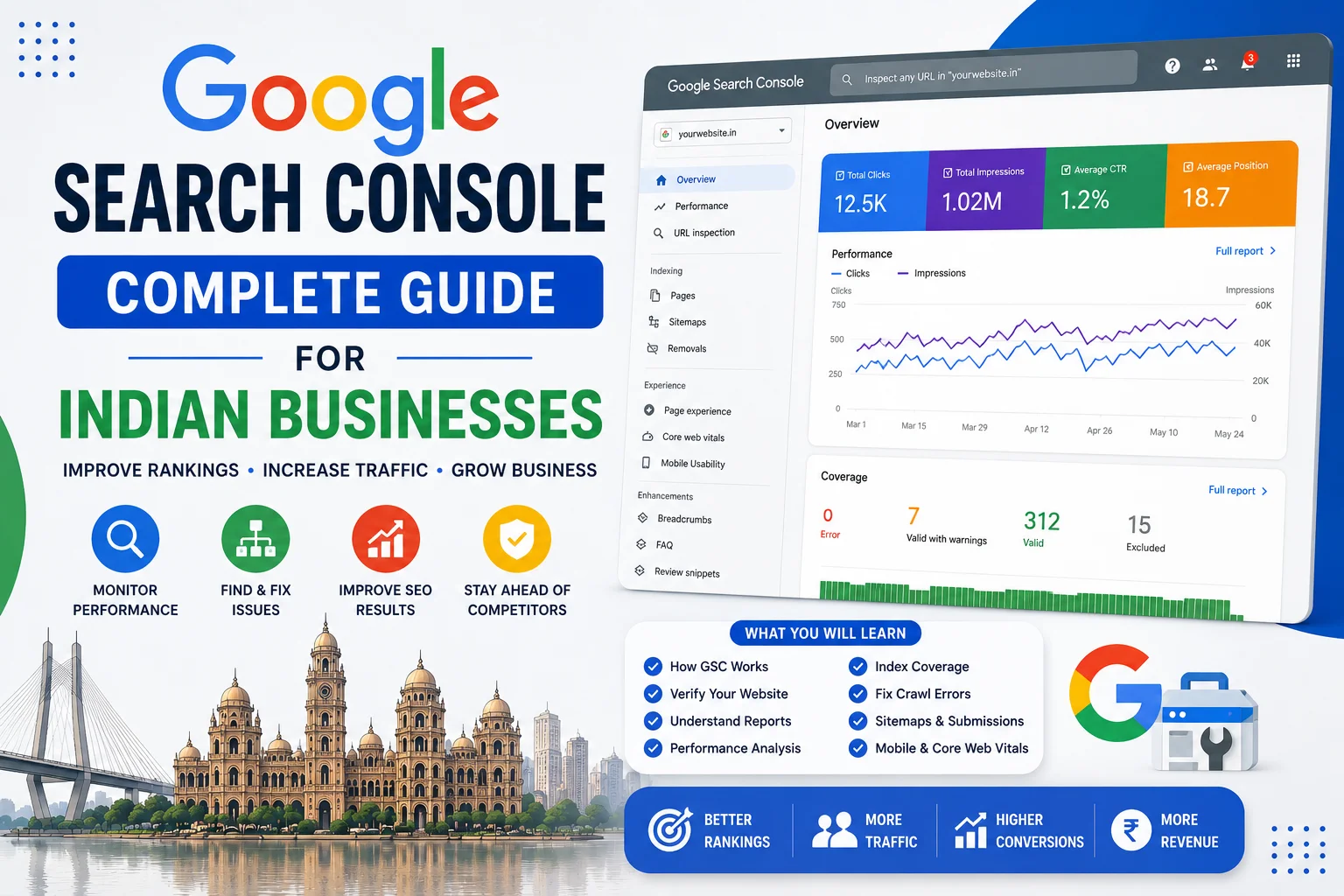
Google Search Console is the most powerful free SEO tool available to Indian business websites —
and one of the most underused.
While Indian business owners spend thousands on paid SEO tools,
Google’s own free platform sits unused, containing the exact data needed
to improve rankings, fix technical issues, and grow organic traffic.
Google Search Console shows you precisely which keywords bring visitors to your site,
which pages Google cannot crawl, which links point to your website,
and whether your pages are eligible for rich results in Indian search.
This complete guide covers every important feature of Google Search Console
and exactly how Indian businesses should use each one to improve their Google rankings in 2026.
What Is Google Search Console and Why Does Every Indian Website Need It?
- Free: Completely free — no paid version, no premium features locked behind paywall
- Direct from Google: Data comes straight from Google’s crawlers — not estimates or third-party approximations
- Indexing control: Tell Google which pages to crawl and index — and which to exclude
- Error detection: Immediate alerts when Google cannot access your pages
- Keyword data: See exactly which queries Indian users search to find your website
- Performance tracking: Monitor clicks, impressions, CTR, and average position over time
- Rich results eligibility: Confirm your schema markup is working correctly
- Backlink data: See which websites link to yours according to Google
Setting Up Google Search Console for Your Indian Website
Step 1 — Verify Your Website
- Go to search.google.com/search-console
- Sign in with your Google account
- Click “Add Property” → choose “Domain” (preferred) or “URL prefix”
- Domain property: covers all URLs including http, https, www, and non-www versions
- Verification methods available: DNS record (recommended), HTML file upload, HTML tag, Google Analytics, Google Tag Manager
Recommended Verification — DNS Record Method
- Google provides a TXT record to add to your domain’s DNS
- Login to your domain registrar — GoDaddy, BigRock, Namecheap, Hostinger
- Add the TXT record to your domain DNS settings
- Return to Search Console and click Verify — verification takes minutes to hours
- This method verifies all versions of your domain simultaneously
Alternative — HTML Tag Method (Easiest for WordPress)
- Copy the meta tag Google provides
- In WordPress: Rank Math → General Settings → Webmaster Tools → Google Search Console → paste verification code
- Save and verify in Search Console
- Alternatively use Yoast SEO → General → Webmaster Tools → Google verification code
Step 2 — Submit Your Sitemap
- Search Console → Sitemaps → Enter sitemap URL
- For WordPress with Rank Math: sitemap URL is yourwebsite.in/sitemap_index.xml
- For WordPress with Yoast: sitemap URL is yourwebsite.in/sitemap_index.xml
- Submit sitemap → Google crawls all URLs in sitemap systematically
- Check sitemap status — should show “Success” within 24 to 48 hours
The Performance Report — Most Important for Indian Businesses
The Performance report is where Indian businesses spend most of their Search Console time.
It shows exactly how your website performs in Google search —
which queries bring visitors, which pages rank where, and how often people click.
Key Metrics in the Performance Report
- Total Clicks: How many times Indian users clicked your website in Google search
- Total Impressions: How many times your website appeared in Google search results — whether clicked or not
- Average CTR (Click-Through Rate): Percentage of impressions that resulted in clicks — industry average is 2 to 5%
- Average Position: Your average ranking position across all queries — position 1 is top of Google
How to Use the Queries Report
- Performance → Queries tab — shows every keyword your site appeared for
- Sort by Impressions — find high-impression, low-click keywords — these need title/meta improvements
- Sort by Position — find keywords in positions 8 to 20 — these are quick win opportunities
- Filter by India: + New → Country → India — see India-specific performance only
- Filter by device: Mobile vs Desktop — compare performance across devices
Quick Win Strategy — Positions 8 to 20
The single most impactful use of Search Console data for Indian businesses:
- Filter queries to show average position between 8 and 20
- These pages already rank on pages 1 and 2 — Google considers them relevant
- Improving these pages to position 1 to 5 typically doubles or triples clicks
- How to improve: Add more comprehensive content, better title tags, more FAQ sections, internal links from stronger pages
- Re-request indexing after updates — Search Console → URL Inspection → Request Indexing
CTR Improvement — High Impressions, Low Clicks
- Find queries with 100+ impressions but under 2% CTR
- Your title tag and meta description are not compelling enough — rewrite them
- Add numbers, power words, year: “7 Proven Ways to…” or “Complete Guide 2026”
- Match search intent better in your title — if query is a question, make title an answer
- Add FAQ schema — expands your search result size and increases CTR
The Pages Report — Find Your Best and Worst Performing Pages
- Performance → Pages tab — shows performance by individual URL
- Sort by Clicks — identify your highest-traffic pages — invest in improving these further
- Sort by Impressions — find pages with high impressions but low clicks — CTR optimization opportunity
- Find pages with zero impressions — they may not be indexed or targeting keywords nobody searches
- Compare date ranges — Performance → Date → Compare — see which pages are growing or declining
URL Inspection Tool — Check Any Page’s Index Status
The URL Inspection tool lets you check the exact status of any individual page on your website —
and is the first tool to use when a page is not appearing in Google search.
How to Use URL Inspection
- Search Console → URL Inspection → type or paste any URL from your website
- Google shows: Is the page indexed? When was it last crawled? What did Google see?
- If page shows “URL is on Google” — it is indexed, appearing in search
- If page shows “URL is not on Google” — follow the troubleshooting steps provided
Request Indexing — Critical for Indian Website Owners
- After publishing a new blog post: URL Inspection → Request Indexing
- After updating existing content: URL Inspection → Request Indexing
- After fixing a page error: URL Inspection → Request Indexing
- Google typically crawls requested URLs within hours to days vs weeks for undiscovered pages
- Limit: approximately 12 indexing requests per day — use strategically
Coverage Report — Find and Fix Indexing Errors
The Coverage (now called Indexing) report shows the complete picture of how Google
has indexed your website — and critically, what errors are preventing indexing.
Coverage Report Status Types
- Valid: Indexed pages — appearing in Google search. This is what you want.
- Valid with warnings: Indexed but has issues — for example, indexed but blocked by robots.txt
- Error: Pages Google tried to index but could not — requires immediate attention
- Excluded: Pages not indexed intentionally (noindex tag) or by Google’s choice
Common Errors Indian Websites Face
- 404 Not Found: Page does not exist — set up 301 redirect from old URL to new URL
- Server Error 5xx: Your server is failing — contact hosting support immediately
- Redirect Error: Redirect chain or loop — fix redirect configuration
- Blocked by robots.txt: Your robots.txt is preventing Google from accessing the page — fix robots.txt
- Crawled but not indexed: Google saw the page but chose not to index it — usually means thin content or duplicate content
Sitemaps Report — Ensure Google Finds All Your Pages
- Search Console → Sitemaps — view all submitted sitemaps and their status
- Check Discovered URLs count matches your expected page count
- Resubmit sitemap after adding new sections or significant content additions
- If sitemap shows errors — check your sitemap URL is accessible and valid XML
- Rank Math and Yoast auto-update sitemaps when you publish — submit once, stays current
Links Report — See Your Backlink Profile
The Links report shows backlinks Google has found pointing to your website —
valuable for understanding your backlink profile and monitoring new links.
External Links — Who Links to You
- Search Console → Links → External Links
- Top linking sites — which domains link to you most
- Top linked pages — which of your pages attract most backlinks
- Anchor text used — what text other sites use when linking to you
Internal Links — Your Internal Link Structure
- Shows which pages receive most internal links from other pages on your site
- Pages with few internal links are harder for Google to find and rank
- Add internal links to important pages that show low internal link counts
Core Web Vitals Report — Page Experience for Indian Users
- Search Console → Core Web Vitals — shows LCP, FID/INP, and CLS scores for your pages
- Separate data for Mobile and Desktop — mobile performance is more critical for Indian users
- Pages classified as Poor, Needs Improvement, or Good
- Click any URL to see specific issues causing poor scores
- Fix Poor pages first — they receive ranking penalties vs Good pages in Google’s algorithm
For detailed guidance on fixing Core Web Vitals issues, see our complete guide on
improving Core Web Vitals for WordPress websites in India.
Enhancements Report — Rich Results Status
If you have implemented schema markup on your Indian website —
the Enhancements report confirms whether your rich results are working correctly.
- Search Console → Enhancements — see all schema types Google has detected
- FAQ, Breadcrumbs, Sitelinks Searchbox, Product, Review — each has its own report
- Valid: Schema is correct and page is eligible for rich results
- Error: Schema has issues preventing rich result eligibility — fix errors shown
- Warning: Schema is valid but has non-critical issues to address
- Click any URL with errors to see the exact problem and recommended fix
Search Console for Local Indian Businesses — Specific Tips
- Filter by city queries: Performance → New → Query → Filter → type your city name — see how you rank for local searches
- Monitor branded queries: Filter by your business name — track branded search volume growth over time
- Mobile vs Desktop split: Indian users are 70%+ mobile — compare mobile and desktop performance separately
- Track seasonal patterns: Compare performance during Diwali, exam season, monsoon — identify seasonal keyword opportunities
- International traffic: Filter by country — if you get USA or UK traffic, consider international targeting opportunities
Monthly Search Console Routine for Indian Businesses
Spend 30 minutes on Search Console every month:
- Week 1: Check Coverage report — fix any new indexing errors immediately
- Week 2: Review Performance → Queries — identify new keyword opportunities and CTR improvements
- Week 3: Check Core Web Vitals — address any pages that moved to “Poor” status
- Week 4: Review Links report — note new backlinks, check for suspicious links
- Monthly: Request indexing for all new and updated pages — do not wait for Google to discover them
Combine Search Console insights with keyword research to build a data-driven content strategy —
see our complete guide on keyword research for Indian business websites
for finding new high-traffic opportunities beyond what Search Console already shows.
Conclusion
Google Search Console is the most valuable free tool Indian business websites have access to —
providing direct Google data that no paid tool can replicate.
Setting it up takes 15 minutes. Using it monthly takes 30 minutes.
The improvement in rankings, traffic, and technical health it enables
is worth far more than any paid SEO subscription.
Set up Search Console today if you have not already,
submit your sitemap, fix any indexing errors found,
and implement the positions 8 to 20 quick win strategy immediately —
most Indian websites can improve traffic by 20 to 40% within 60 days
by acting on the data already available in their Search Console account.
Call To Action
Want expert SEO support using Google Search Console data for your Indian website?
Get a free SEO audit today — we analyse your Search Console data and implement changes that improve Google rankings for Indian business websites.
Or contact us on WhatsApp to discuss your website’s SEO performance.
Frequently Asked Questions
What is Google Search Console and is it free for Indian websites?
Google Search Console is a free tool provided by Google that shows how your website performs in Google search results. It is completely free with no paid version — all features including keyword data, indexing reports, Core Web Vitals, backlinks, and rich results monitoring are available at zero cost to every Indian website owner with a Google account.
How do I add my Indian website to Google Search Console?
Go to search.google.com/search-console, sign in with your Google account, click Add Property, enter your website URL, and verify ownership. The easiest method for WordPress websites is adding the HTML meta tag through Rank Math or Yoast SEO under their Webmaster Tools settings. Verification takes minutes and gives immediate access to all Search Console data.
How long does it take for a new Indian website to appear in Google Search Console?
After verification, Search Console starts collecting data immediately but performance data takes 2 to 4 weeks to populate meaningfully. Indexing data (Coverage report) populates as Google crawls your site. Submit your sitemap immediately after verification and use URL Inspection to request indexing for your key pages — this speeds up the process significantly.
What should Indian businesses check in Google Search Console every month?
Monthly Search Console priorities: check Coverage report for new indexing errors, review Performance → Queries for keywords in positions 8 to 20 (quick win opportunities), check Core Web Vitals for pages with poor scores, review the Links report for new backlinks, and request indexing for all newly published or updated pages. This 30-minute monthly routine delivers significant ongoing SEO improvement.
Why are some of my pages not showing in Google Search Console?
Pages may not appear because they are not yet indexed (too new), blocked by robots.txt, have a noindex meta tag, return errors when Google tries to crawl them, or have thin content Google chose not to index. Use URL Inspection on any specific page to diagnose the exact reason and follow the recommended fix. Submitting a complete sitemap helps Google discover all your pages.
How do I use Search Console to improve my Google rankings in India?
The most impactful Search Console strategy for Indian businesses: filter Performance → Queries to show positions 8 to 20, identify these near-page-1 pages, improve their content comprehensiveness and title tags, add FAQ schema, build internal links to them from stronger pages, then request reindexing. Pages already ranking 8 to 20 often jump to positions 1 to 5 with targeted improvements.
What is the difference between impressions and clicks in Search Console?
Impressions count how many times your website appeared in Google search results for any query — whether the searcher clicked or not. Clicks count how many times searchers actually clicked through to your website. Click-Through Rate (CTR) is clicks divided by impressions — a low CTR with high impressions means your title and meta description need improvement to be more compelling for Indian searchers.
How do I fix indexing errors shown in Google Search Console?
For 404 errors: set up 301 redirects from the broken URL to the correct page. For server errors: contact your hosting provider immediately. For robots.txt blocked pages: review and correct your robots.txt file. For crawled but not indexed: improve content quality and length — Google chose not to index thin or duplicate content. After fixing any error, use URL Inspection to request reindexing.