Home
Home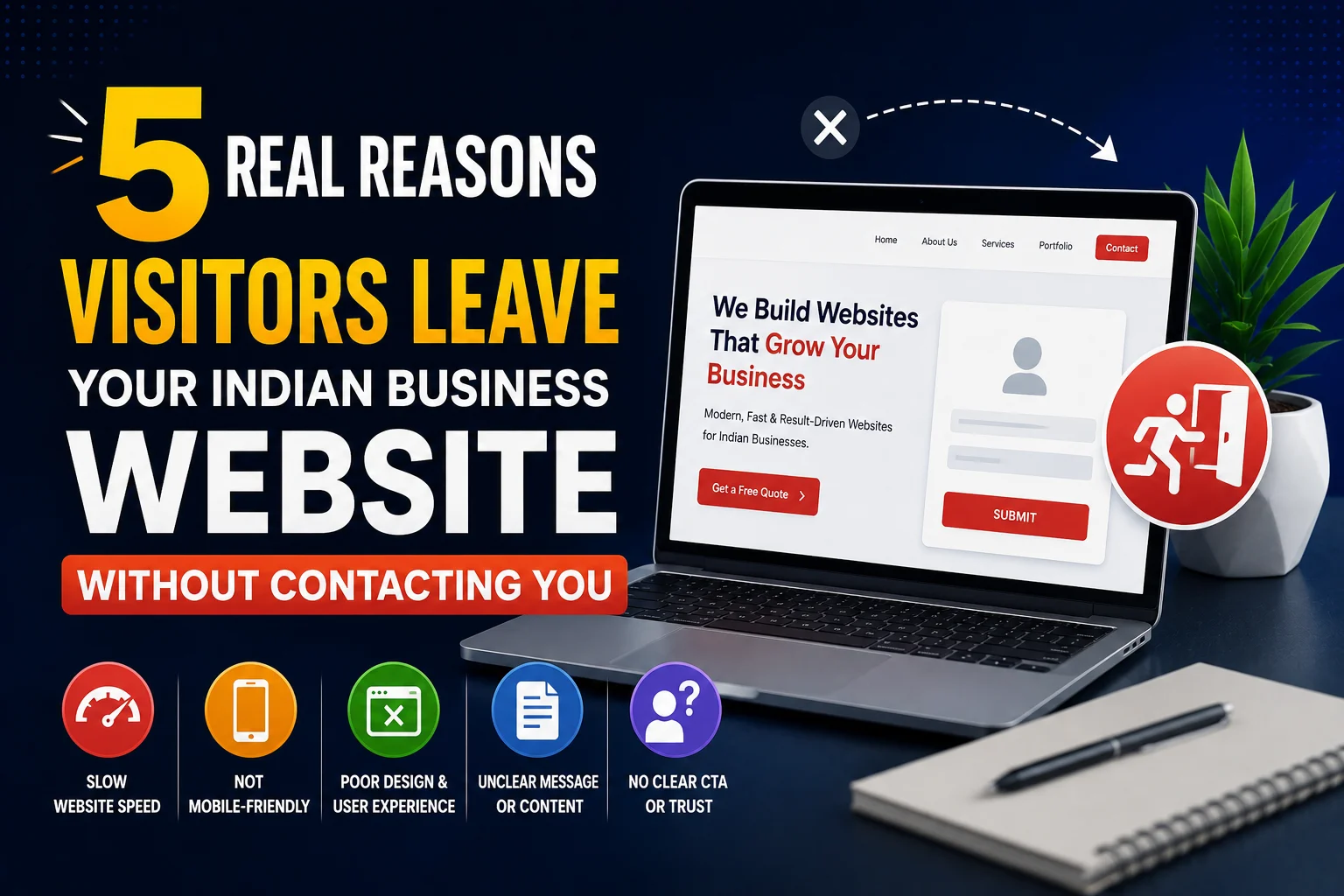
You are getting website visitors — but no inquiries.
Google Analytics shows people arriving on your homepage, spending 30 seconds,
and leaving without clicking anything.
What is happening?
The answer is almost always one of five specific, fixable reasons.
This guide explains each one clearly — with exact solutions for Indian business websites in 2026.
Fix these five problems and your conversion rate will improve within 30 days.
Reason 1: Your Website Loads Too Slowly
53% of mobile visitors abandon a page that takes more than 3 seconds to load.
On Indian 4G connections, many business websites take 6 to 12 seconds —
losing more than half their potential leads before the page even appears.
Signs This Is Your Problem
- Google Analytics shows very low average session duration — under 20 seconds
- High bounce rate across all pages — not just one page
- Mobile PageSpeed score below 60 at pagespeed.web.dev
- Your own phone takes more than 3 seconds to load your homepage on 4G
How to Fix It
- Compress all images to WebP format using Imagify plugin
- Install WP Rocket or LiteSpeed Cache for page caching
- Connect Cloudflare free CDN for Indian edge server delivery
- Upgrade hosting if server response time is above 500ms
- Target: under 2.5 seconds load time on Indian 4G, 80+ mobile PageSpeed score
Reason 2: Your Homepage Does Not Clearly Explain What You Do
Visitors arrive on your homepage with one question: “Is this what I am looking for?”
If they cannot answer that within 5 seconds — they leave.
Most Indian business homepages lead with taglines like “Excellence in Everything We Do”
and nowhere clearly state what they do, who they serve, and where they are based.
Signs This Is Your Problem
- High bounce rate specifically on your homepage
- Average time on homepage under 15 seconds
- Very low click-through from homepage to service pages
- Your homepage headline is a tagline rather than a service statement
How to Fix It
- Replace your homepage H1 with a clear service statement: “WordPress Websites for Surat Businesses — Starting from ₹20,000”
- Add a sub-headline with your key benefit: “Fast, SEO-optimized websites that generate real leads”
- Add a prominent CTA button above fold: “Get a Free Quote” or “WhatsApp Us Now”
- Test: cover your logo and ask a stranger if they can tell what your business does within 5 seconds
Reason 3: There Is No Easy Way to Contact You
An interested visitor who cannot quickly find how to contact you will not hunt for your details.
They will leave and contact the competitor whose WhatsApp button is floating on every page.
Indian customers expect multiple, easily accessible contact options —
especially WhatsApp, which is how the majority prefer to initiate business conversations.
Signs This Is Your Problem
- No WhatsApp button on your website
- Contact page is the only place with contact information
- Phone number not visible in header — hidden in footer only
- Contact form has 8+ fields — too much friction for a first inquiry
How to Fix It
- Add floating WhatsApp button on every page — WP Social Chat plugin, free
- Add clickable phone number to header — visible on every page without scrolling
- Reduce contact form to 3 to 4 fields maximum — Name, WhatsApp, Service Needed
- Add contact options to homepage — not just on the Contact page
Reason 4: Visitors Do Not Trust Your Business Yet
Indian customers — especially B2B clients — research businesses extensively before making contact.
When they arrive on your website and see no reviews, no portfolio, no team photos,
and no evidence of real clients — they do not trust you enough to reach out.
Signs This Is Your Problem
- Visitors spend time on your site but still do not contact you
- High traffic on portfolio or testimonials pages — visitors are looking for proof
- No Google reviews visible on your website
- No client testimonials with names and business details
How to Fix It
- Add Google review count and star rating to your homepage — “Rated 4.9 by 38 Surat businesses”
- Add 3 to 5 client testimonials with name, business name, and specific result
- Add your professional photo to the homepage — faces build instant personal trust
- Add portfolio section with live URLs to completed websites
- Display years in business and projects completed count
Reason 5: Your Content Does Not Match What Visitors Expected
Every visitor arrives from somewhere — a Google search, a WhatsApp link, a social post.
Each source creates a specific expectation about what they will find.
When your page does not match that expectation — they leave immediately.
This is called message mismatch — and it is extremely common on Indian business websites running Google Ads.
Signs This Is Your Problem
- Google Ads traffic has very high bounce rate — ad says one thing, page says another
- Visitors from specific blog posts leave without visiting other pages
- High impressions in Search Console but fast exits in Analytics
How to Fix It
- Match your page headline to the ad or link that brought the visitor exactly
- Create dedicated landing pages for each Google Ads campaign — never send paid traffic to homepage
- Ensure blog post content fully delivers on the title promise — no clickbait headings
- Check Google Analytics → Acquisition → Traffic Sources — identify highest bounce rate source and fix that page first
Bonus: Poor Mobile Experience
With 78% of Indian visitors on smartphones — a website that does not work well on mobile
loses the majority of visitors regardless of how good the desktop version looks.
- Text too small to read without zooming
- Buttons too small to tap accurately
- Horizontal scrolling required on any page
- Navigation menu broken on mobile devices
Test your website on your own Android phone right now.
If you find any friction — your mobile visitors found it too, and left.
How to Diagnose Why Visitors Are Leaving
- Google Analytics 4: Check bounce rate, average session duration, and pages per session
- Hotjar free plan: Heatmaps show where visitors click and scroll
- Session recordings: Watch real visitors use your website — see exactly where they leave
- PageSpeed Insights: Mobile score below 70 indicates speed is a major cause
Quick Fix Priority
- 🔴 Today: Add WhatsApp button — free plugin, 15 minutes
- 🔴 Today: Compress all images — Imagify, 30 minutes
- 🔴 Today: Rewrite homepage H1 to clearly state your service and location
- 🟡 This week: Add trust signals — reviews, testimonials, photo
- 🟡 This week: Reduce contact form to 3 to 4 fields
- 🟡 This week: Install Hotjar and review first session recordings
- 🟢 This month: Match all landing pages to specific traffic sources
Conclusion
Visitors leaving your Indian business website without contacting you is not random —
it is caused by specific, identifiable, fixable problems.
Slow loading, unclear homepage message, no easy contact options, missing trust signals,
and content mismatch account for the vast majority of lost leads on Indian business websites.
Fix the highest-priority issues today — WhatsApp button, image compression, homepage headline.
Within 30 days most Indian businesses see a 50 to 100% improvement in inquiry rate
from the exact same traffic — without spending more on marketing.
Call To Action
Want to find out exactly why visitors are leaving your Indian business website?
Get a free conversion audit today — we identify every reason and provide a prioritized fix plan.
Or contact us on WhatsApp to discuss your website’s conversion problems.
Frequently Asked Questions
Why do visitors come to my Indian business website but not contact me?
The five most common reasons are: slow loading speed, unclear homepage message,
no easy contact options especially WhatsApp, missing trust signals like reviews and portfolio,
and content mismatch between what brought them to the site and what they found.
What is a good bounce rate for an Indian business website?
For Indian business service websites — a bounce rate under 60% is good, under 45% is excellent.
Blog posts naturally have higher bounce rates of 70 to 85%.
Homepage and service page bounce rates above 70% indicate a problem that needs fixing.
How do I find out why visitors are leaving my website?
Install Hotjar free plan for heatmaps and session recordings — watch real visitors use your site.
Check Google Analytics 4 for bounce rate by page and traffic source.
Google Search Console reveals which pages have high impressions but low engagement.
Does adding a WhatsApp button reduce bounce rate for Indian websites?
Yes — significantly. When visitors find no easy contact method they leave immediately.
A visible WhatsApp button gives interested but not-yet-committed visitors a low-friction
option to make contact — capturing leads that would otherwise leave silently.
How quickly can I improve my Indian business website’s conversion rate?
Quick wins like adding WhatsApp, compressing images, and rewriting the homepage headline
show results within days to weeks. Trust signal improvements show results within 2 to 4 weeks.
Full conversion optimization takes 1 to 3 months of consistent improvement.
Is high bounce rate always bad for Indian business websites?
Not always — blog posts naturally have higher bounce rates as readers finish content and leave.
High bounce rate is concerning on homepage and service pages where you expect visitors
to explore further and eventually contact you. Always analyze bounce rate in context.