Home
Home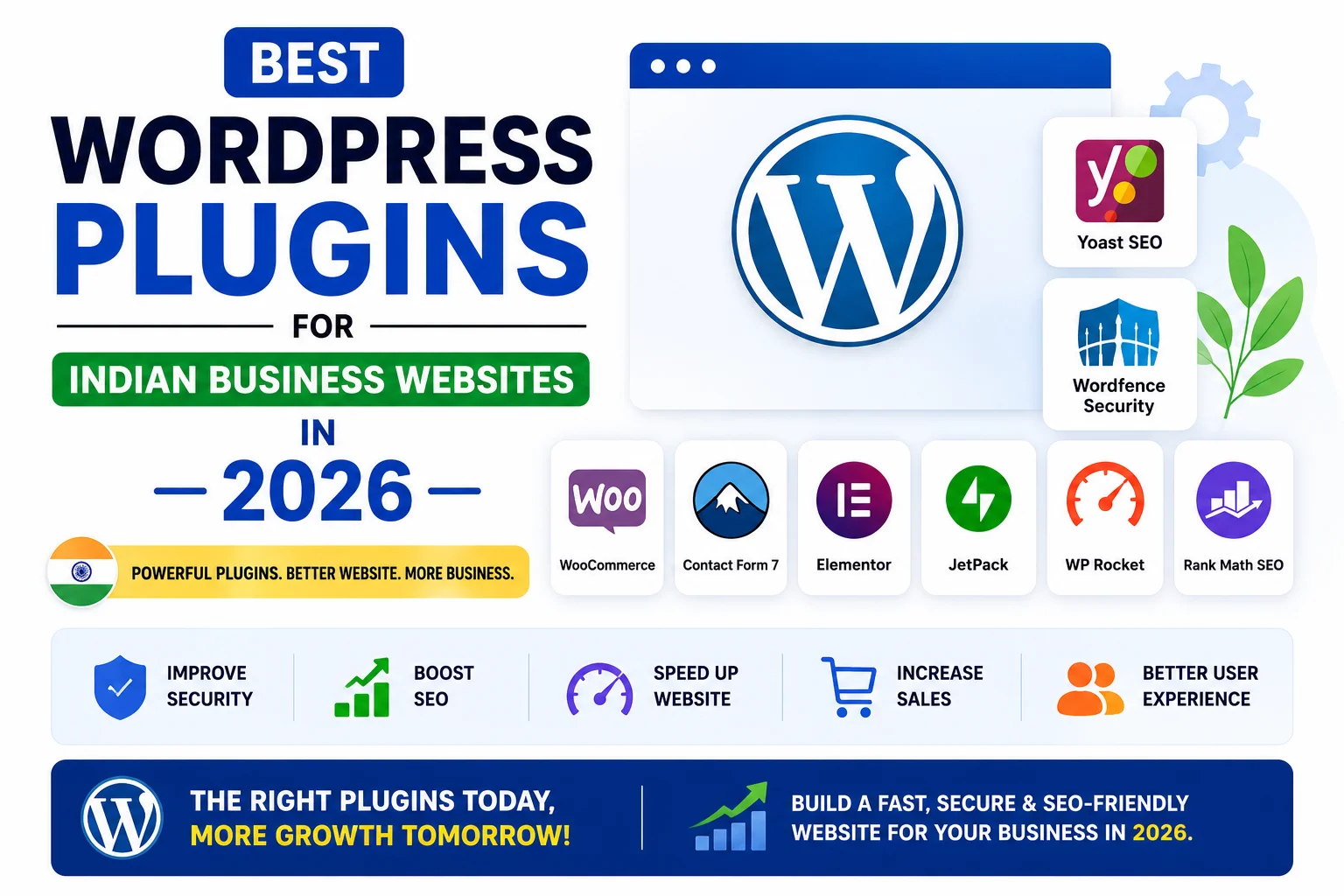
WordPress without the right plugins is like a smartphone without apps.
The right plugins transform a basic WordPress installation into a powerful,
fast, secure, SEO-optimized business website that generates leads around the clock.
But with over 60,000 plugins available in the WordPress repository,
choosing the right ones is overwhelming — and installing the wrong ones can slow down your website,
create security vulnerabilities, or even break your site entirely.
In this complete guide, you will find the exact WordPress plugins we install on every Indian business website we build in 2026 —
organized by category, with honest pros, cons, and Indian-specific recommendations.
How Many WordPress Plugins Should You Install?
This is one of the most common questions from Indian website owners.
The answer is not about the number — it is about the quality and necessity of each plugin.
- There is no magic “safe” number of plugins — 10 bad plugins hurt more than 30 well-coded ones
- Every plugin adds code that runs on every page load — unnecessary plugins slow your site
- Only install a plugin when it serves a specific, necessary purpose
- Delete plugins you no longer use — deactivated plugins can still be exploited by hackers
- Always check: last update date, active installs, star rating, and developer reputation before installing
A well-built Indian business website needs 12 to 18 quality plugins — not 40.
The plugins in this guide cover everything your website needs without unnecessary bloat.
1. SEO Plugins
Rank Math SEO — Best Free SEO Plugin for India
Rank Math is the most comprehensive free SEO plugin available for WordPress in 2026.
It handles everything from basic on-page optimization to advanced schema markup —
features that competing plugins charge for in their premium versions.
- On-page SEO analysis with actionable suggestions for every page and post
- Meta title and description editor for every page, post, product, and category
- Automatic XML sitemap generation and Google Search Console integration
- Schema markup for Local Business, Article, FAQ, Product, and more
- Redirection manager — set up 301 redirects without any extra plugin
- 404 error monitor — track broken links and fix them quickly
- Google Analytics 4 integration directly in your WordPress dashboard
Cost: Free — Pro version available at ₹5,500/year for advanced features
Indian business verdict: Install this on every WordPress website. No exceptions.
Google Site Kit — Connect Google Tools to WordPress
Google Site Kit is Google’s official WordPress plugin that connects your website
to all Google tools in one place — directly inside your WordPress dashboard.
- Google Search Console data — impressions, clicks, average position
- Google Analytics 4 — traffic, user behavior, and conversion tracking
- Google PageSpeed Insights — Core Web Vitals score directly in dashboard
- AdSense integration for blogs that want to monetize with ads
Cost: Free
Indian business verdict: Essential for tracking your website’s Google performance without leaving WordPress.
2. Speed and Performance Plugins
WP Rocket — Best Caching Plugin for WordPress
WP Rocket is the gold standard of WordPress caching and performance optimization.
It is the single most impactful plugin you can install for improving your website’s loading speed —
directly affecting your Google rankings and user experience for Indian mobile visitors.
- Page caching — static pages load instantly without hitting the server
- Browser caching — returning visitors load your site even faster
- GZIP compression — reduces file sizes by 60 to 80%
- CSS and JavaScript minification and deferral
- Lazy loading for images and videos
- Database optimization — removes bloat from revisions and transients
- Cloudflare and CDN integration with one click
Cost: ₹3,500/year for single site
Free alternative: LiteSpeed Cache (free — excellent if your host uses LiteSpeed servers like Hostinger)
Indian business verdict: Worth every rupee. Typically improves PageSpeed score by 20 to 40 points.
Imagify — Automatic Image Compression
Images are the biggest contributor to slow WordPress websites.
Imagify automatically compresses every image you upload to WebP format —
reducing file sizes by 30 to 70% with no visible quality loss.
- Automatically converts uploaded images to WebP format
- Bulk optimization — compress all existing images on your website in one click
- Three compression levels — Normal, Aggressive, Ultra
- Restores original files if needed
Cost: Free up to 25MB per month — Starter plan at ₹800/month for unlimited
Free alternative: ShortPixel or Smush (free versions)
Indian business verdict: Essential for any website with photos, portfolios, or product images.
Cloudflare — Free CDN for Indian Websites
Cloudflare is not technically a WordPress plugin — but the free Cloudflare plugin connects your WordPress site
to Cloudflare’s global CDN network, which has multiple servers across India.
This single addition can reduce your page loading time by 30 to 50% for Indian visitors.
- Free CDN with servers in Mumbai, Chennai, and other Indian cities
- DDoS protection — blocks malicious traffic before it reaches your server
- Free SSL certificate management
- Reduces server load — faster performance during traffic spikes
Cost: Free plan is excellent for most Indian websites
Indian business verdict: Install this regardless of which hosting provider you use.
3. Security Plugins
Wordfence Security — Best Free WordPress Security Plugin
Wordfence is the most widely used WordPress security plugin in the world —
with over 5 million active installations.
It acts as a firewall, malware scanner, and login protection system all in one.
- Web Application Firewall (WAF) — blocks malicious traffic before it reaches WordPress
- Malware scanner — detects infected files and suspicious code
- Login security — limits login attempts, blocks brute force attacks
- Real-time threat intelligence — updated from millions of WordPress sites
- Two-factor authentication support
- Live traffic monitor — see who is visiting your site in real time
Cost: Free — Premium at ₹7,000/year for real-time firewall rules
Indian business verdict: Free version is sufficient for most Indian small business websites.
UpdraftPlus — Best WordPress Backup Plugin
UpdraftPlus is the most trusted WordPress backup plugin —
with over 3 million active installations.
It automatically backs up your entire website and stores copies safely in Google Drive, Dropbox, or other cloud services.
- Scheduled automatic backups — daily, weekly, or monthly
- Backup to Google Drive, Dropbox, Amazon S3, or email
- One-click restore — recover your entire website in minutes
- Backs up files and database separately
- Free version covers everything most Indian businesses need
Cost: Free — Premium at ₹2,500/year for advanced scheduling and storage options
Indian business verdict: Install immediately after WordPress setup. Never skip backups.
4. Contact and Lead Generation Plugins
WPForms — Best Contact Form Plugin for India
WPForms is the most beginner-friendly contact form plugin for WordPress.
It allows you to create professional contact forms, quote request forms, and survey forms
without any coding — using a simple drag-and-drop builder.
- Drag-and-drop form builder — no coding required
- Mobile-responsive forms — works perfectly on all Indian mobile devices
- Email notifications — instant alert when someone fills the form
- Spam protection — reCAPTCHA integration
- Multi-page forms for detailed quote requests
Cost: Free — Pro version at ₹4,000/year
Free alternative: Contact Form 7 (free but more complex)
Indian business verdict: WPForms free version is sufficient for most contact and inquiry forms.
WP Social Chat — WhatsApp Chat Button for WordPress
WP Social Chat adds a floating WhatsApp click-to-chat button on your WordPress website —
the single most conversion-improving addition for any Indian business website.
Indian customers prefer WhatsApp over contact forms for quick inquiries.
- Floating WhatsApp button visible on every page
- Pre-filled message — “Hi, I want to know more about your services”
- Multiple agents — different WhatsApp numbers for different departments
- Schedule availability — show button only during business hours
- Customizable button color and position
Cost: Free
Indian business verdict: Install on every Indian business website. Non-negotiable for lead conversion.
5. eCommerce Plugins
WooCommerce — Best eCommerce Plugin for India
WooCommerce is the world’s most popular eCommerce plugin —
transforming any WordPress website into a fully functional online store.
It is the foundation of most Indian eCommerce websites in 2026.
- Complete online store with products, cart, and checkout
- Native support for Indian payment gateways — Razorpay, PayU, CCAvenue
- Physical and digital product support
- Inventory management and order tracking
- Shipping zones — configure pan-India and international shipping
- GST-compatible with additional plugins
Cost: Free — extensions available for additional features
Indian business verdict: The only eCommerce plugin worth considering for Indian WordPress stores.
Razorpay for WooCommerce — Indian Payment Gateway
Razorpay’s official WooCommerce plugin is the most important plugin for any Indian online store.
It supports every Indian payment method your customers want to use.
- UPI — PhonePe, Google Pay, Paytm, BHIM
- All credit and debit cards — Visa, Mastercard, RuPay
- Net banking — all major Indian banks
- EMI — credit card and cardless EMI options
- PayLater — Lazypay, ICICI PayLater
- Zero extra platform fee — pay only Razorpay’s standard 2% gateway fee
Cost: Free plugin — 2% transaction fee per payment
Indian business verdict: Essential for any Indian WooCommerce store.
6. Design and Page Builder Plugins
Elementor — Best Page Builder for Indian Websites
Elementor is the most popular WordPress page builder in India —
allowing you to design beautiful, professional pages visually without touching a single line of code.
- Drag-and-drop visual editor — design in real time
- 100+ free templates and blocks
- Mobile-responsive design controls
- Custom header and footer builder (Pro version)
- WooCommerce builder (Pro version)
- Popup builder for lead capture (Pro version)
Cost: Free — Pro version at ₹4,500/year
Indian business verdict: Excellent for businesses that want to manage their own website design without a developer.
Classic Editor — For Simpler Content Management
If your clients find the new Gutenberg block editor confusing,
the Classic Editor plugin restores the traditional WordPress editor that most Indian business owners find easier to use.
- Restores the simple, familiar WordPress text editor
- Compatible with all older plugins and themes
- Officially supported by WordPress until at least 2025
Cost: Free
Indian business verdict: Install for clients who struggle with Gutenberg blocks.
7. Utility and Management Plugins
Redirection — Manage 301 Redirects
The Redirection plugin allows you to set up and manage 301 redirects in WordPress
without touching any server configuration files.
Essential when you change page URLs, delete old pages, or migrate a website.
- Simple interface to add redirects — old URL → new URL
- Automatically detects 404 errors and suggests redirect targets
- Import and export redirects in bulk
- Log all 404 errors so you can fix broken links
Cost: Free
Indian business verdict: Essential during any website migration or URL structure change.
Duplicate Page — Copy Pages and Posts Instantly
Duplicate Page allows you to clone any WordPress page or post with one click.
Saves significant time when creating multiple similar service pages or blog posts.
- One-click duplication of any page, post, or custom post type
- Duplicate appears as draft — edit before publishing
- Works with all page builders including Elementor
Cost: Free
Indian business verdict: Small plugin, big time-saver for any WordPress developer or content manager.
Complete Plugin List — Quick Reference
- SEO: Rank Math SEO (free) + Google Site Kit (free)
- Speed: WP Rocket (₹3,500/year) or LiteSpeed Cache (free) + Imagify (free) + Cloudflare (free)
- Security: Wordfence Security (free) + UpdraftPlus backup (free)
- Contact/Leads: WPForms (free) + WP Social Chat WhatsApp (free)
- eCommerce: WooCommerce (free) + Razorpay for WooCommerce (free)
- Design: Elementor (free/Pro) + Classic Editor (free)
- Utility: Redirection (free) + Duplicate Page (free)
Plugins to Avoid for Indian WordPress Websites
- Jetpack: Extremely heavy plugin that adds dozens of features you will not use — slows down your website significantly
- Multiple SEO plugins simultaneously: Never install Rank Math and Yoast together — they conflict and duplicate data
- Multiple caching plugins: Only one caching plugin at a time — two caching plugins conflict and break your site
- Nulled (pirated) premium plugins: Always contain malware — never worth the cost saving
- Plugins not updated in 2+ years: Security vulnerabilities remain unpatched — serious risk for any live website
Common WordPress Plugin Mistakes Indian Businesses Make
- Installing too many plugins without understanding what each one does
- Keeping deactivated plugins installed — they can still be exploited even when turned off
- Never updating plugins — outdated plugins are the number one cause of WordPress hacks
- Not testing after plugin updates — a new version can break your theme or other plugins
- Choosing a plugin based on the lowest price without checking reviews and update history
- Installing a plugin to solve a problem that could be solved with a simple code snippet
Pros and Cons of Using WordPress Plugins
Pros
- Add powerful features without custom coding — saves thousands in development cost
- Most essential plugins are completely free
- Easy to install, activate, and configure — no server access needed
- Huge ecosystem — almost any feature you need has an existing plugin
- Regular updates keep features compatible with the latest WordPress version
Cons
- Too many plugins slow down your website — quality over quantity
- Plugin conflicts can break your website — always test after installing
- Poorly coded plugins create security vulnerabilities
- Premium plugins add annual costs — budget accordingly
Conclusion
The right WordPress plugins transform your website from a digital brochure into a powerful business tool —
one that generates leads, ranks on Google, loads fast, and stays secure 24 hours a day.
Start with the essentials: Rank Math for SEO, WP Rocket or LiteSpeed Cache for speed,
Wordfence for security, UpdraftPlus for backups, WPForms for contact forms, and WP Social Chat for WhatsApp.
These six plugins alone will make your Indian business website significantly more effective.
Remember: fewer, better-chosen plugins always outperform many random ones.
Install only what you need — and keep everything updated every week.
Call To Action
Want a professionally built WordPress website with all the right plugins already configured?
Get a free quote today — every website we build includes proper plugin setup, SEO configuration, and speed optimization.
Or contact us to discuss your WordPress website requirements.
Frequently Asked Questions
How many plugins should a WordPress website have?
There is no fixed number — quality matters more than quantity.
A well-built Indian business website typically needs 12 to 18 carefully chosen plugins.
Every plugin should serve a specific, necessary purpose — remove any that are no longer actively used.
Do WordPress plugins slow down my website?
Poorly coded or unnecessary plugins do slow down WordPress.
Well-coded, essential plugins from reputable developers have minimal performance impact.
Speed plugins like WP Rocket and Imagify actually make your website significantly faster.
Is Rank Math better than Yoast SEO for Indian websites?
Yes — Rank Math is generally the better choice for Indian WordPress websites in 2026.
The free version of Rank Math includes schema markup, redirection manager, and advanced SEO features
that require a paid Yoast subscription. Rank Math also has a cleaner interface and better performance.
Which is the best free caching plugin for WordPress in India?
LiteSpeed Cache is the best free caching plugin — if your hosting uses LiteSpeed servers (like Hostinger).
W3 Total Cache is a powerful free alternative for other hosting providers.
If budget allows, WP Rocket is the premium choice that delivers the best results for Indian websites.
Do I need WooCommerce for an Indian eCommerce website?
Yes — WooCommerce is the best eCommerce solution for Indian WordPress websites.
It is free, supports all Indian payment gateways including Razorpay and UPI,
handles GST with additional plugins, and gives you complete control over your store without monthly platform fees.
Which is the best WhatsApp plugin for WordPress in India?
WP Social Chat (formerly Click to Chat) is the most popular free WhatsApp plugin for WordPress.
It adds a floating click-to-chat button with a pre-filled message — the simplest and most effective
way to convert website visitors into WhatsApp conversations for Indian business websites.