Home
Home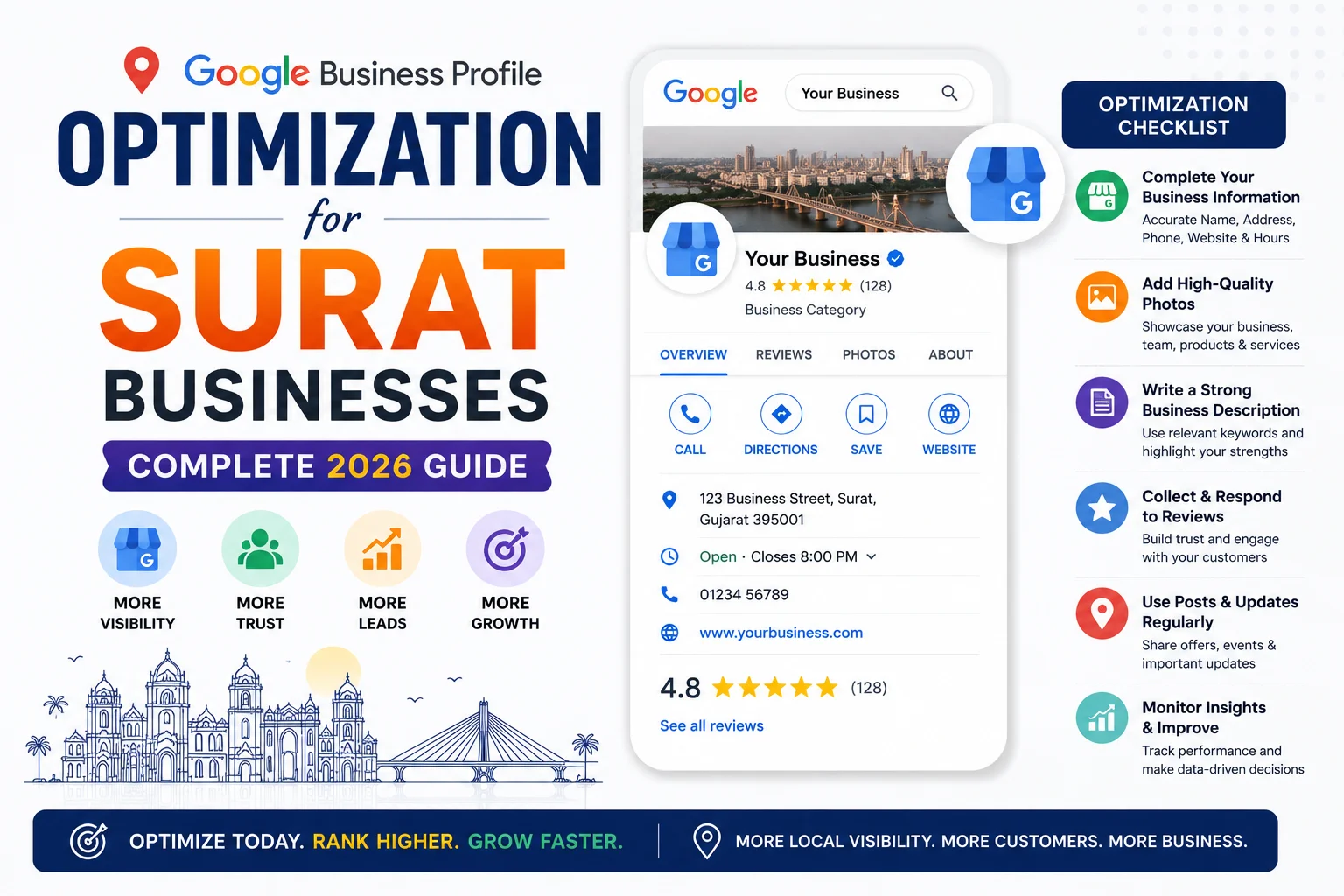
Every day, hundreds of potential customers in Surat search Google for the services your business provides.
They look at the map results — the 3 businesses that appear with ratings, photos, and phone numbers.
They call one of those three.
Is your business one of them?
If not — this complete guide will show you exactly how to optimize your Google Business Profile
so your Surat business appears at the top of Google Maps for the searches that matter most.
What is Google Business Profile and Why Does It Matter for Surat?
Google Business Profile (formerly Google My Business) is a free tool that controls
how your business appears in Google Search and Google Maps.
For Surat businesses, it is the most powerful free marketing tool available in 2026.
- The Google Local Pack — 3 businesses shown with a map — gets 44% of all local search clicks
- Businesses with complete GBP profiles get 7 times more clicks than incomplete ones
- GBP with 10+ photos get 42% more direction requests and 35% more website clicks
- 76% of people who find a local business on Google visit within 24 hours
- It is completely free — no advertising budget needed
Step 1: Claim and Verify Your Surat Business Profile
Go to business.google.com and sign in with your Google account.
Search for your business — if it already exists, claim it. If not, create a new listing.
- Postcard verification: Google sends a postcard with a code to your Surat address — 5 to 14 days
- Phone verification: Available for some businesses — instant SMS verification
- Video verification: Record a short video of your business location — increasingly common
Verification is mandatory. An unverified GBP does not rank in the Surat Local Pack.
Step 2: Complete Every Section of Your Surat GBP
Business Name
Use your exact legal business name only.
Do NOT add keywords — “Tejas Suthar Web Design SEO WordPress Surat” will get your profile suspended.
Just: “Tejas Suthar” or your actual business name.
Business Category
- Choose the most specific primary category — “Web Designer” beats “Technology Company”
- Add 2 to 3 secondary categories — “Internet Marketing Service”, “Software Company”
- Category selection directly affects which searches your profile appears for
Business Description
- Write a full 750-character description
- Include your primary keyword and “Surat” naturally
- Example: “Tejas Suthar is a professional WordPress developer and web designer based in Surat, Gujarat. We build custom WordPress websites, WooCommerce stores, and SEO-optimized web solutions for businesses across Surat and India. Specializing in fast, responsive, lead-generating websites.”
Address
- Enter your complete Surat address including area, landmark, and PIN code
- Verify the map pin is dropped at your exact location
- If you work from home and do not want the address public — set up as Service Area Business
Phone Number
- Use your primary Surat business number
- Add WhatsApp number in the additional phone field if different
- Ensure this number matches your website and all directory listings exactly
Website
- Link to your homepage or a Surat-specific landing page
- Ensure the URL is correct and the page loads fast
Business Hours
- Set accurate hours for every day of the week
- Add special hours for Indian holidays — Diwali, Navratri, Republic Day
- If you accept WhatsApp inquiries after hours — mention this in the description
Services
- Add every service you offer with a specific description
- Include price ranges where possible — reduces irrelevant inquiries
- For web designers in Surat: WordPress Development, Website Design, WooCommerce Store, SEO Services, Website Maintenance
Step 3: Add High-Quality Photos — Minimum 10
Photos are one of the most impactful ranking factors for Surat GBP listings.
Businesses with 10+ photos receive significantly more clicks and calls.
- Logo: Clear, high-resolution on white or transparent background
- Cover photo: Your best, most professional image — shown prominently on your listing
- Workspace photos: Your office or work setup in Surat
- Team photos: You and your team — builds trust instantly
- Work samples: Website screenshots, project photos, design samples
- At-work photos: Action shots of you working on client projects
Add 2 to 3 new photos every month — consistent photo activity signals an active business to Google.
Step 4: Collect Google Reviews Consistently
Reviews are the single most important ranking factor for Surat Google Maps results.
A business with 50 reviews at 4.6 stars will outrank a competitor with 5 reviews —
even if that competitor has been in business in Surat for 20 years longer.
How to Get Reviews from Surat Clients
- After completing every project — send the review link via WhatsApp immediately
- Create a short review link from your GBP dashboard and save it as a WhatsApp template message
- Add a QR code to your invoice and visiting card that links to your review page
- Ask in person during project delivery or training session
- Aim for 1 to 2 new reviews every week — velocity matters as much as total count
How to Respond to Reviews
- Respond to every review — positive and negative — within 24 hours
- Thank positive reviewers specifically — mention their project or result
- Respond to negative reviews professionally — acknowledge the concern, offer to resolve
- Never argue with a negative review — your response is read by every future potential Surat client
Step 5: Post on GBP Every Week
GBP Posts appear directly on your Google listing — like mini blog posts or social media updates.
Most Surat businesses completely ignore this feature — which makes it a major opportunity.
- What’s New: Share a recently completed Surat client project
- Offer: Diwali discount, summer special, new client offer
- Event: Any webinar, open house, or local event
- Blog post: Share your latest blog with a link back to your website
Post at least once per week. Active profiles rank higher than inactive ones —
Google rewards businesses that regularly update their listing.
Step 6: Use the Q&A Section Proactively
- Add 5 to 10 common questions yourself — and answer them before customers ask
- Examples: “What is your starting price for a website?”, “Do you serve businesses across Gujarat?”, “How long does a project take?”, “Do you accept UPI payments?”
- Monitor and answer new questions from visitors within 24 hours
- Remove any inaccurate answers posted by others
Step 7: Enable and Use GBP Messaging
- Enable messaging in your GBP dashboard settings
- Connect to WhatsApp if possible — customers can message directly from your Google listing
- Respond within 1 hour — Google tracks response time and ranks responsive businesses higher
- Set up an automated greeting for after-hours messages
Common GBP Mistakes Surat Businesses Make
- Keyword stuffing in business name — “Best Web Designer Surat SEO WordPress” — leads to suspension
- Using a home address publicly if you are not comfortable — use Service Area Business setting instead
- No photos — the #1 missed opportunity for Surat businesses
- Never responding to reviews — signals poor customer service
- Creating duplicate listings — Google suppresses all of them
- Inconsistent phone number format — +91 vs 0261 vs 8758153749 — must be identical everywhere
- Never posting updates — inactive profiles rank lower than consistently active ones
How to Track Your Surat GBP Performance
- Search queries: What people searched to find your Surat listing
- Views: How many times your profile appeared in Search and Maps
- Clicks: How many people clicked your website link
- Calls: How many people called directly from your listing
- Direction requests: How many asked for directions to your Surat location
Check these metrics weekly in your GBP dashboard. If calls are increasing — your optimization is working.
Conclusion
Your Google Business Profile is the most powerful free marketing tool available to any Surat business.
Fully optimized with photos, regular posts, consistent reviews, and complete information —
it puts your business in front of Surat customers who are ready to buy, every single day.
Most Surat competitors have incomplete, inactive GBP listings.
A fully optimized profile gives you an immediate competitive advantage that starts showing results
within 4 to 8 weeks of consistent effort.
Call To Action
Want professional Google Business Profile setup and optimization for your Surat business?
Get a free GBP audit today — we check, complete, and optimize your entire profile for maximum Surat visibility.
Or contact us on WhatsApp to discuss your local SEO requirements.
Frequently Asked Questions
Is Google Business Profile free for Surat businesses?
Yes — completely free. Creating, verifying, and managing your GBP costs nothing.
It is one of the highest-ROI free marketing tools for any Surat business in 2026.
How long does it take to rank on Google Maps in Surat?
With a fully optimized profile and consistent reviews, Surat businesses typically appear
in the Local Pack for low-competition searches within 4 to 8 weeks.
For competitive terms like “web designer Surat”, expect 3 to 6 months of consistent optimization.
How many Google reviews do I need to rank in Surat?
There is no fixed minimum — but Surat businesses with 20+ reviews at 4.5+ stars
consistently outperform competitors with fewer reviews for the same search terms.
Can I add multiple locations to one GBP in Surat?
No — each physical location needs its own separate verified GBP listing.
If you have an office in Varachha and another in Adajan, create two separate listings.
What happens if my GBP gets suspended in Surat?
Your listing disappears from Google Maps entirely. Common causes: keyword stuffing in business name,
fake address, or duplicate listings. Appeal through Google Business Profile Support
and remove the violating element to get reinstated.
Should I use my home address for GBP if I work from home in Surat?
You can set up as a Service Area Business — hide your address but add Surat as your service area.
This allows you to appear in Surat searches without displaying your home address publicly.